
ReShoot
Video reframing app for iPhone
Convert landscape video to portrait for TikTok, Reels, and Shorts by moving your phone.
ReShoot turns landscape video into portrait content for TikTok, Instagram Reels, and YouTube Shorts. Import footage, pick an aspect ratio, then record a new camera move over it — hold your phone and pan with the gyroscope, or use touch for precise control. Export up to 4K with voiceover, and take the motion path into After Effects or Final Cut Pro.
The problem
You shot landscape. Every platform wants vertical.
TikTok, Reels, and Shorts all demand 9:16, but your best footage is 16:9. A static center-crop cuts off the action, letterboxing looks like an afterthought, and re-keyframing every clip in a desktop editor eats an evening.
The fix
Reframe it like a camera move, not a crop.
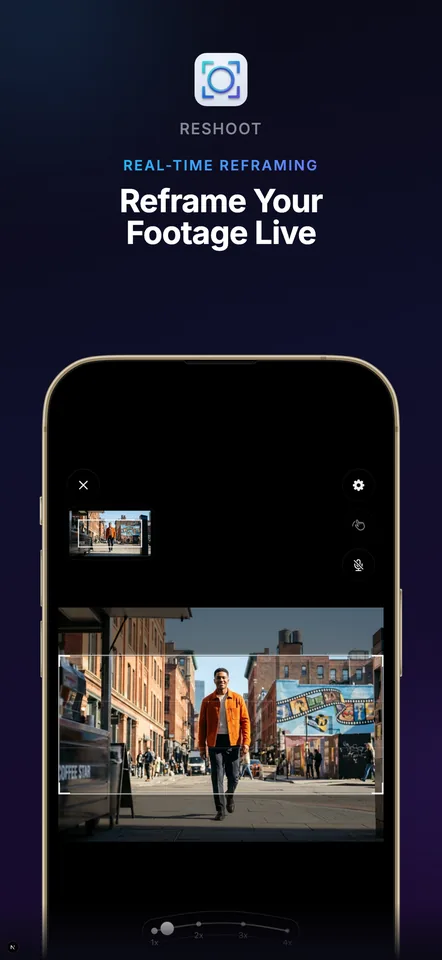
ReShoot plays your clip while you steer the crop in real time — tilt and pan your phone and the gyroscope records the move, or drag with touch for frame-accurate control. One take, and the vertical version follows the action instead of losing it.
Features
What it does
Motion-controlled reframing
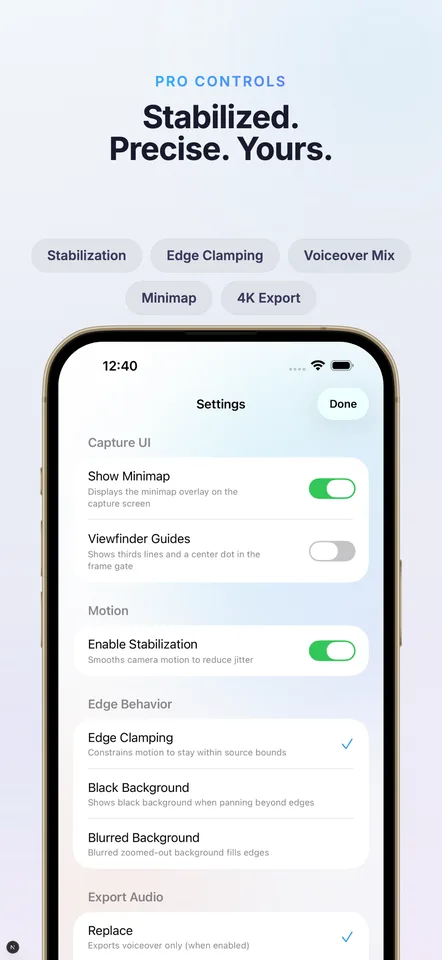
Hold your phone and move it — the gyroscope records your crop path over the footage in real time, with optional stabilization to smooth out jitter.
Every aspect ratio
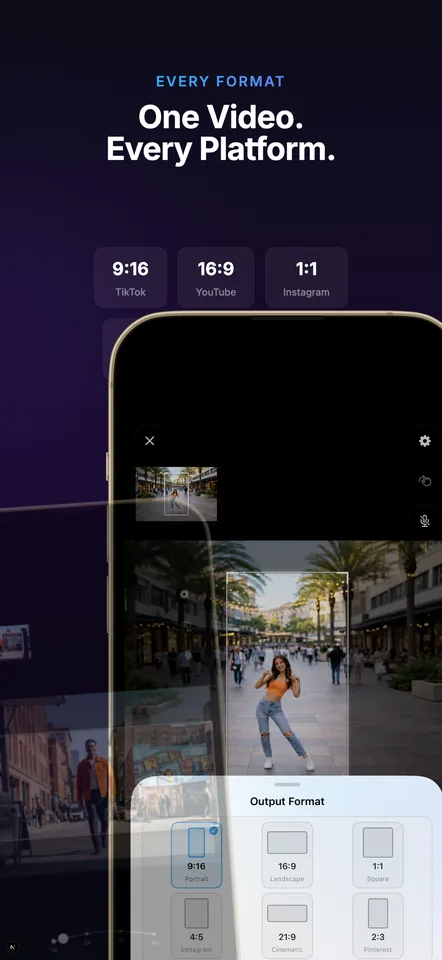
Convert to 9:16, 1:1, 4:5, 16:9, 21:9, or 2:3 — vertical, square, landscape, or cinematic from the same source clip.
Up to 4K export
Export 720p, 1080p, or 4K HEVC, keeping the source audio or swapping it out.
Voiceover recording
Narrate while you reframe, then replace the original audio or mix the two.
Motion path export
Export your camera path as JSON, CSV, FCPXML, or an After Effects .jsx script and finish the edit on desktop.
Precise touch controls
Prefer not to wave your phone around? Drag and pinch the frame directly, with edge clamping to keep the crop inside the source.
In the app
Screens
Use cases
Where it fits
Repurpose footage for vertical
Turn existing landscape shoots into TikTok, Reels, and Shorts cutdowns without rebuilding the edit from scratch.
Narrated demos and tutorials
Reframe a screen or product recording while recording a voiceover in the same pass.
Previsualize camera moves
Test a pan or push-in by hand, then export the motion path to After Effects or Final Cut instead of keyframing it blind.
Compared
How people make horizontal video vertical today
| The alternative | Why it falls short | How ReShoot helps |
|---|---|---|
| Desktop editors with manual keyframing | Placing crop keyframes by hand takes minutes per shot and never feels like a natural camera move. | Record the whole move in one real-time pass with your phone's motion — and still export the path to your editor if you want to refine it. |
| Auto-crop AI tools | An algorithm guesses what the subject is, and when it guesses wrong the action leaves the frame. | You steer the crop yourself, so the frame follows what you know matters. |
| Posting letterboxed or center-cropped | Black bars waste the screen, and a static center-crop lops off anything that moves. | A moving crop keeps the subject full-frame for the whole clip. |
FAQ
Frequently asked questions
Is ReShoot free?
Yes — ReShoot is free to download on the App Store, with an optional $4.99 Pro Upgrade in-app purchase.
How do I convert a landscape video to portrait on iPhone?
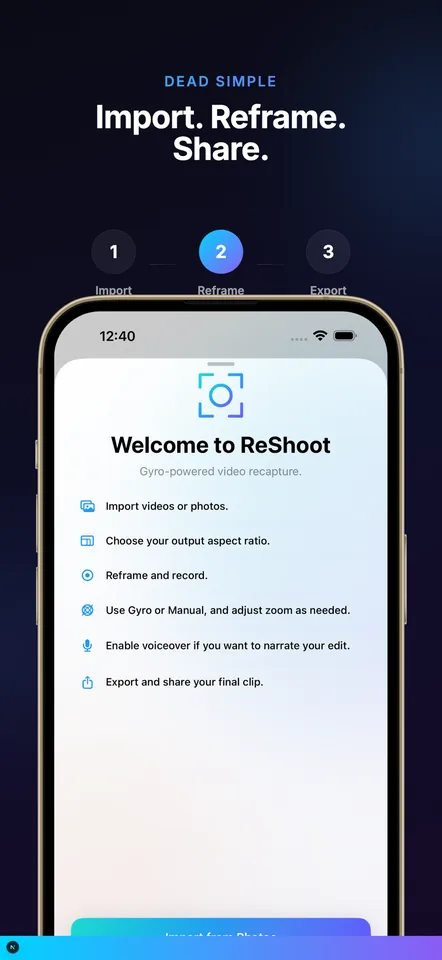
Import the clip into ReShoot, choose 9:16, then press record and move your phone (or drag with touch) to steer the crop as the video plays. Export when you're done.
What aspect ratios and resolutions can I export?
9:16, 1:1, 4:5, 16:9, 21:9, and 2:3, at 720p, 1080p, or 4K HEVC.
Does it work with After Effects or Final Cut Pro?
Yes — export your camera path as an After Effects .jsx script, FCPXML, JSON, or CSV and continue the edit on desktop.
Can I add a voiceover?
Yes. Record narration while you reframe, then either replace the source audio or mix the two on export.
What devices does it support?
ReShoot runs on iPhone and iPad with iOS 18.0 or later.
Reframe your first clip
ReShoot is free on the App Store. Import a clip, pick a ratio, and record the move.